
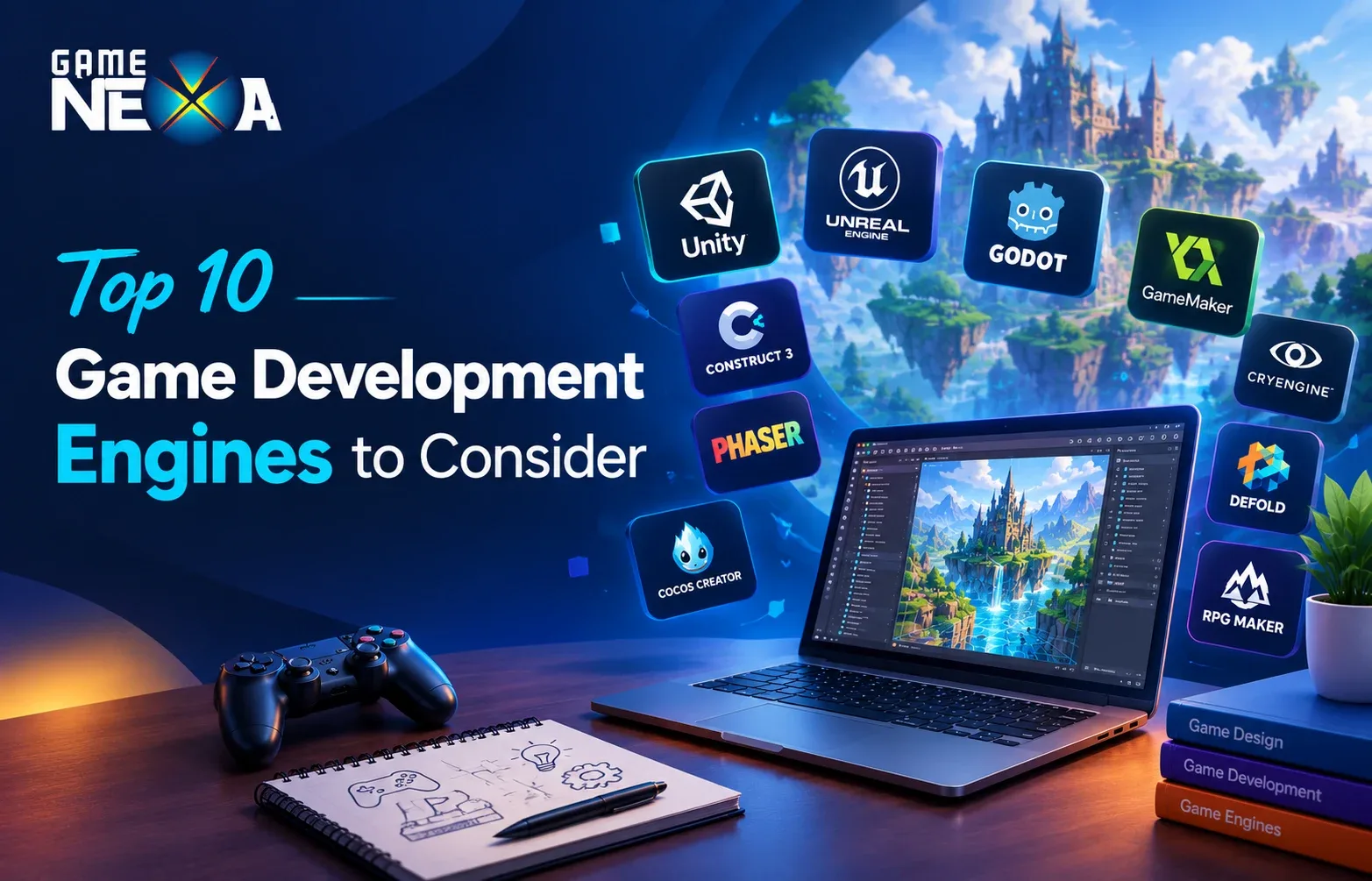
Choosing the right game development engine is one of the most important decisions when building a video game. The engine you select influences graphics quality, gameplay mechanics, development time, performance, platform compatibility, and the overall cost of production.
Whether you want to create a mobile game for Android and iOS, a high-end 3D PC game, a multiplayer gaming platform, or a browser-based game, the right engine can make development more efficient and help you achieve your creative and business goals.
But with so many game development engines available, which one should you choose?
Popular options such as Unity and Unreal Engine offer powerful tools for professional game development, while Godot, GameMaker, and Construct 3 provide accessible solutions for indie developers and beginners. Other engines, including Cocos Creator and Phaser, are particularly useful for mobile and web-based games.
In this guide, we explore the 10 best game development engines in 2027, comparing their features, advantages, limitations, supported platforms, and ideal use cases to help you choose the right technology for your next game.
Quick Comparison: Top 10 Game Development Engines
Game Engine | Best For | Game Types | Learning Curve |
|---|---|---|---|
1. Unity | Mobile and cross-platform games | 2D and 3D | Moderate |
2. Unreal Engine | High-end graphics and AAA games | Primarily 3D; also 2D | Moderate to advanced |
3. Godot | Indie games and open-source development | 2D and 3D | Beginner to moderate |
4. GameMaker | 2D games and rapid prototyping | Primarily 2D | Beginner to moderate |
5. CryEngine | Visually detailed 3D environments | 3D | Advanced |
6. Cocos Creator | Mobile and lightweight cross-platform games | 2D and 3D | Moderate |
7. Defold | Lightweight mobile and 2D games | Primarily 2D | Beginner to moderate |
8. Construct 3 | No-code and browser-based game development | Primarily 2D | Beginner |
9. Phaser | HTML5 and browser games | 2D | Moderate |
10. RPG Maker | Story-driven role-playing games | 2D RPGs | Beginner |
Note: These engines serve different purposes. The learning curve and suitability depend on the project, developer experience, and intended platforms.
What Is a Game Development Engine?
A game development engine, also known as a game engine, is a software framework that provides the tools and technologies needed to create, test, and run video games.
Instead of developing every technical component from scratch, developers can use a game engine’s built-in systems for graphics rendering, physics, animation, audio, input handling, and gameplay programming.
Depending on the engine, additional capabilities may include multiplayer networking, artificial intelligence, visual scripting, virtual reality, and cross-platform deployment.
For example, a developer creating a multiplayer mobile game can use an engine to build its gameplay, user interface, animations, and interactions. Additional backend services may still be needed for features such as matchmaking, player accounts, leaderboards, and online data management.
Game engines are used to develop a wide range of products, including:
Mobile games for Android and iOS.
PC and console video games.
2D puzzle, arcade, and casual games.
3D action, adventure, and simulation games.
Multiplayer and competitive gaming experiences.
Browser-based and HTML5 games.
Augmented reality (AR) and virtual reality (VR) experiences.
The best game engine depends on what you want to build, the experience you want players to have, your budget, and the platforms you intend to support.
1. Unity
Best for: Mobile game development, indie games, and cross-platform projects
Unity is one of the most widely used game development engines, known for its flexibility and broad platform support. Developed by Unity Technologies, it allows developers to create both 2D and 3D games using a common development environment.
Unity is particularly popular for mobile game development because it offers tools for touch-based controls, performance optimization, animation, physics, and deployment across multiple platforms.
The engine uses C# as its primary scripting language and provides an extensive asset ecosystem that can help development teams accelerate production.
Key Features of Unity
Support for 2D and 3D game development.
Cross-platform deployment for supported mobile, desktop, console, and XR platforms.
C# scripting and visual scripting tools.
Physics, animation, audio, and user interface systems.
Asset Store for third-party tools and resources.
Profiling and optimization tools for game performance.
Advantages of Unity
Suitable for a wide range of game genres and project sizes.
Strong ecosystem of tutorials, plugins, and development resources.
Useful tools for mobile game optimization.
Supports rapid prototyping and iterative development.
Offers a practical starting point for teams targeting multiple platforms.
Limitations of Unity
Complex projects can require substantial performance optimization.
Advanced features may involve additional tools, subscriptions, or technical expertise.
Managing packages and dependencies can add complexity to larger projects.
When Should You Choose Unity?
Unity is a strong choice if you want to develop a mobile puzzle game, multiplayer casual game, simulation, or cross-platform indie title.
For businesses planning to launch a mobile gaming product, Unity can be particularly useful when the project requires consistent gameplay across Android and iOS, with the option to expand to other supported platforms.
2. Unreal Engine
Best for: AAA games, realistic 3D graphics, and immersive experiences
Unreal Engine, developed by Epic Games, is a powerful game development engine known for its advanced rendering capabilities and tools for creating detailed virtual environments.
It is widely associated with high-end PC and console games, cinematic experiences, architectural visualization, and immersive applications. Unreal Engine is also capable of developing mobile games, although its suitability depends on the project’s graphical requirements and target devices.
One of its most distinctive features is Blueprint Visual Scripting, which allows developers and designers to create gameplay logic using visual nodes. Developers can also use C++ for more extensive customization and control.
Key Features of Unreal Engine
Advanced real-time 3D rendering.
Nanite virtualized geometry and Lumen global illumination.
Blueprint Visual Scripting.
C++ programming and customization.
Animation, physics, and cinematic production tools.
Networking and multiplayer development capabilities.
Advantages of Unreal Engine
Excellent tools for detailed environments and realistic visuals.
Suitable for technically demanding 3D projects.
Visual scripting can make some gameplay tasks more accessible.
Extensive documentation, learning resources, and asset marketplace.
Supports immersive experiences and a range of target platforms.
Limitations of Unreal Engine
Advanced workflows can require a steep learning curve.
High-fidelity projects may demand powerful development hardware.
Large projects can involve significant build sizes and optimization work.
Royalty and licensing conditions must be reviewed for commercial releases.
When Should You Choose Unreal Engine?
Choose Unreal Engine when visual quality, complex 3D environments, advanced lighting, or cinematic presentation is central to your game.
It is particularly suitable for action-adventure games, realistic simulations, first-person experiences, and projects that prioritize high-end graphics.
3. Godot
Best for: Indie games, 2D development, and open-source projects
Godot is a free and open-source game development engine that supports both 2D and 3D games. Its lightweight design, accessible interface, and flexible scripting options make it an attractive choice for independent developers, hobbyists, and small studios.
Godot uses a node-based architecture that organizes game objects and scenes into manageable structures. Developers can write gameplay logic using GDScript, a Python-like language, or use other supported programming options depending on their project configuration.
Unlike proprietary engines with commercial licensing tiers, Godot is distributed under the MIT license, making it an appealing option for teams that want greater control over their development tools.
Key Features of Godot
Dedicated 2D development tools.
3D rendering and scene management.
GDScript and support for other programming languages.
Scene and node-based architecture.
Animation, physics, and user interface systems.
Open-source licensing and a community-driven ecosystem.
Advantages of Godot
Free and open-source.
No engine royalties under its MIT license.
Particularly suitable for 2D games.
Lightweight editor and accessible development workflow.
Useful for prototypes, indie projects, and educational purposes.
Limitations of Godot
Its ecosystem and asset marketplace are smaller than those of some established commercial engines.
Advanced production pipelines may require additional customization.
Console deployment can involve third-party porting services or platform-specific arrangements.
When Should You Choose Godot?
Godot is worth considering if you are creating a 2D platformer, puzzle game, pixel-art adventure, or smaller 3D indie game.
It is also a practical choice for developers who want to experiment with game creation without committing to a paid engine subscription.
4. GameMaker
Best for: 2D games, arcade games, and rapid prototyping
GameMaker is a game development engine focused primarily on 2D game creation. Its accessible workflow allows developers to build gameplay systems, design levels, create animations, and manage game assets without needing to develop every component from scratch.
GameMaker supports both visual development workflows and its own scripting language, GameMaker Language (GML). This gives beginners an entry point into game development while allowing experienced users to implement more complex mechanics.
The engine is commonly considered for platformers, arcade games, action titles, and other projects where 2D gameplay is the main priority.
Key Features of GameMaker
2D-focused development tools.
Sprite and animation editors.
Room and level design tools.
Visual and code-based gameplay development.
Debugging and testing capabilities.
Export options subject to the relevant licensing plan.
Advantages of GameMaker
Purpose-built workflow for 2D games.
Accessible to beginners.
Supports rapid prototyping.
Useful tools for sprite-based and pixel-art games.
Allows developers to progress from visual development to scripting.
Limitations of GameMaker
Not designed as a general-purpose high-end 3D engine.
Projects requiring complex 3D environments may be better suited to another engine.
Commercial and console publishing options depend on the current licensing plan.
When Should You Choose GameMaker?
GameMaker is a good option for indie developers creating 2D platformers, arcade games, retro-style adventures, and simple action games.
If your project depends primarily on 2D mechanics and quick iteration rather than advanced 3D graphics, GameMaker is worth evaluating.
5. CryEngine
Best for: High-quality 3D environments and visually demanding games
CryEngine is a game development engine recognized for its real-time rendering technology and ability to produce detailed outdoor environments, realistic lighting, and immersive 3D worlds.
It is designed for projects where visual presentation and environmental detail are important. Developers can use its rendering, terrain, animation, and physics capabilities to build complex interactive environments.
However, its suitability depends on the team’s technical experience, available resources, and the requirements of the intended game.
Key Features of CryEngine
Real-time 3D rendering.
Terrain and environment creation tools.
Lighting and visual effects.
Physics and animation systems.
Integrated level design workflows.
Tools for creating detailed interactive worlds.
Advantages of CryEngine
Strong visual capabilities for 3D environments.
Useful tools for large, detailed landscapes.
Suitable for visually ambitious game projects.
Integrated environment and level design features.
Limitations of CryEngine
May require considerable technical expertise.
Its ecosystem and learning resources are smaller than those of some larger competitors.
Teams should carefully evaluate platform requirements, support, and licensing before committing.
When Should You Choose CryEngine?
CryEngine is worth considering for visually demanding 3D games, environmental simulations, and projects that depend on detailed landscapes and immersive environments.
For mobile-first games or simple 2D titles, a lighter or more specialized engine may be more practical.
6. Cocos Creator
Best for: Mobile games, casual games, and lightweight cross-platform development
Cocos Creator is a game development engine built around efficient 2D development, with 3D capabilities for suitable projects. It is especially relevant to developers creating casual mobile games, interactive experiences, and games that need to run across supported platforms.
The engine uses TypeScript and JavaScript-based workflows, making it a potential fit for developers familiar with web technologies.
Cocos Creator provides scene editing, animation, asset management, and scripting tools that can help teams build and iterate on game experiences.
Key Features of Cocos Creator
2D and 3D development capabilities.
TypeScript and JavaScript workflows.
Scene editor and component-based architecture.
Animation and asset management tools.
Support for supported mobile and web deployment targets.
Performance-focused development for lightweight experiences.
Advantages of Cocos Creator
Useful for casual and mobile-focused games.
Familiar scripting options for web developers.
Supports efficient 2D game development.
Can be considered for games targeting multiple supported platforms.
Suitable for teams that want an alternative to larger general-purpose engines.
Limitations of Cocos Creator
Some advanced production workflows may require additional implementation.
The available tooling and integrations differ from those of Unity and Unreal Engine.
Platform-specific features and deployment requirements need to be assessed before development.
When Should You Choose Cocos Creator?
Cocos Creator is worth evaluating for casual mobile games, 2D puzzle games, lightweight multiplayer experiences, and games that rely on efficient rendering and responsive controls.
It may be particularly attractive to teams with JavaScript or TypeScript experience.
7. Defold
Best for: Lightweight games and performance-conscious mobile development
Defold is a game development engine designed around a lightweight workflow and efficient game delivery. It is particularly suitable for 2D games, although it also offers capabilities for certain 3D projects.
The engine uses Lua for scripting and provides tools for scene composition, animation, input handling, and game logic. Its compact approach can be beneficial when targeting devices with limited resources or creating games that need relatively small downloads.
Defold is also relevant to developers who value a focused development environment rather than an extensive all-purpose toolset.
Key Features of Defold
Lua scripting.
Lightweight development environment.
2D scene and animation tools.
Asset and resource management.
Performance-conscious workflows.
Cross-platform publishing options for supported targets.
Advantages of Defold
Well suited to 2D and lightweight games.
Lua is relatively accessible for learning scripting.
Focuses on efficient builds and runtime performance.
Useful for small teams and independent developers.
Offers a focused workflow for game production.
Limitations of Defold
Its feature set is less broad than that of some general-purpose engines.
Developers may find fewer third-party resources for certain specialized requirements.
Complex, high-end 3D games may be better served by other engines.
When Should You Choose Defold?
Consider Defold for 2D mobile games, arcade games, casual games, and projects where download size and runtime efficiency matter.
It can also be a practical option for small teams that want to build and maintain a game without an unnecessarily complex development pipeline.
8. Construct 3
Best for: Beginners, no-code game development, and rapid prototypes
Construct 3 is a browser-based game development engine designed to make game creation accessible, particularly for 2D projects.
Rather than requiring developers to write code for every gameplay interaction, Construct 3 uses a visual event system that allows users to define game behavior through conditions and actions.
This approach can help beginners and designers create playable prototypes quickly. It can also be useful for educators, hobbyists, and teams testing simple game concepts before investing in more extensive development.
Key Features of Construct 3
Browser-based development environment.
Visual event system for gameplay logic.
2D scene and layout editors.
Animation, input, and collision handling.
Tools for prototyping interactive experiences.
Export options for supported platforms.
Advantages of Construct 3
Accessible to users with limited programming experience.
No traditional software installation is required to use its browser-based editor.
Enables quick development of prototypes.
Useful for simple 2D games and educational projects.
Makes it easier to experiment with gameplay ideas.
Limitations of Construct 3
Primarily focused on 2D development.
Complex projects may require more specialized programming and architectural control.
Subscription terms and export capabilities should be reviewed before commercial use.
When Should You Choose Construct 3?
Construct 3 is a suitable option for beginners building simple platformers, quizzes, puzzle games, educational games, and browser-based prototypes.
If your project requires sophisticated 3D graphics or extensive custom gameplay systems, evaluate whether a more flexible engine would be a better long-term choice.
9. Phaser
Best for: HTML5 games, browser games, and JavaScript-based development
Phaser is an open-source framework for developing 2D games that run in web browsers. Unlike full-featured game editors, Phaser is code-oriented and is particularly attractive to developers who already work with JavaScript or TypeScript.
It provides tools for sprites, animation, physics, input handling, cameras, and game scenes. Developers can combine Phaser with standard web technologies to build interactive games that can run without requiring players to install a traditional desktop application.
Phaser is often considered for HTML5 games, lightweight multiplayer experiences, promotional games, and browser-based casual gaming.
Key Features of Phaser
JavaScript and TypeScript development workflows.
2D rendering and sprite management.
Animation and input systems.
Physics support.
Browser-based game deployment.
Integration with web technologies and backend services.
Advantages of Phaser
Open-source framework.
Suitable for web developers.
Useful for browser-based gaming experiences.
Supports rapid iteration for 2D game concepts.
Can be integrated with online services and multiplayer backends.
Limitations of Phaser
Requires programming knowledge.
Does not provide the same all-in-one visual editor experience as many traditional game engines.
Developers may need to implement or integrate additional systems for advanced production requirements.
When Should You Choose Phaser?
Phaser is worth considering when building HTML5 games, browser-based puzzles, interactive marketing games, and lightweight multiplayer web experiences.
It is especially useful if your goal is to make a game accessible through a website rather than requiring a separate app download.
10. RPG Maker
Best for: Story-driven role-playing games and turn-based adventures
RPG Maker is a family of game development tools designed primarily for creating 2D role-playing games. It simplifies many aspects of RPG production, including map design, character interactions, dialogue, battles, and item management.
The engine is particularly appealing to creators who want to focus on storytelling, characters, and game design rather than building complex systems from the ground up.
Depending on the version and available extensions, developers can also customize gameplay mechanics and expand the default systems.
Key Features of RPG Maker
Map and level editors.
Character, dialogue, and event systems.
Built-in RPG battle mechanics.
Database tools for items, skills, and enemies.
Asset and plugin support, depending on the version.
Workflows designed around story-driven games.
Advantages of RPG Maker
Beginner-friendly for traditional RPG creation.
Reduces the need to program common role-playing systems from scratch.
Supports fast prototyping of story-driven experiences.
Useful for independent developers and small creative teams.
Lets creators concentrate on narrative and gameplay design.
Limitations of RPG Maker
Primarily designed for RPGs and similar 2D experiences.
Less suitable for unrelated game genres without substantial customization.
Advanced mechanics may require plugins or programming knowledge.
Commercial use and distribution depend on the relevant version and asset licenses.
When Should You Choose RPG Maker?
RPG Maker is an excellent option to investigate if you want to create a turn-based RPG, story-driven adventure, or character-focused 2D role-playing game.
If your concept involves fast-paced action, high-end 3D visuals, or a broad multiplayer platform, a more general-purpose engine may be appropriate.
How to Choose the Best Game Development Engine for Your Project
There is no single game engine that is best for every project. The right choice depends on your gameplay concept, technical requirements, budget, team capabilities, and intended audience.
Before selecting an engine, evaluate the following factors.
1. Decide Whether You Are Building a 2D or 3D Game
Start by identifying the visual style and gameplay requirements.
For a 2D puzzle game, pixel-art platformer, or casual arcade game, Godot, GameMaker, Defold, and Construct 3 may be worth considering.
For a graphically demanding 3D game, Unreal Engine, Unity, and CryEngine offer different capabilities depending on the desired visual quality and target hardware.
The important consideration is not simply whether an engine supports 2D or 3D, but how efficiently its tools support your specific game.
2. Identify Your Target Platforms
Decide where players will access your game.
Will you publish on Android and iOS? Do you need Windows and macOS support? Will players access the game through a browser? Are console releases part of your roadmap?
Check the engine’s supported platforms, export process, performance characteristics, and any additional licensing or developer-program requirements.
Cross-platform development can reduce duplicated work, but it does not eliminate the need for platform-specific testing and optimization.
3. Evaluate Your Budget and Licensing Requirements
The cost of a game engine is only one part of the total development budget.
Consider:
Engine subscriptions or royalties.
Asset purchases and third-party plugins.
Developer salaries or outsourcing costs.
Backend hosting and multiplayer infrastructure.
Testing devices and quality assurance.
Maintenance, updates, and future platform releases.
Open-source engines such as Godot and Phaser can reduce engine licensing expenses, while commercial engines may offer integrated tooling and ecosystems that suit particular production needs.
Always review the latest official licensing terms before choosing an engine for a commercial project.
4. Consider Your Team’s Technical Skills
The engine should match your team’s experience and learning capacity.
Developers familiar with C# may find Unity a natural fit, while teams with C++ experience may prefer Unreal Engine for certain advanced 3D projects. JavaScript and TypeScript developers may find Phaser or Cocos Creator appealing.
For beginners, Godot, Construct 3, GameMaker, and RPG Maker provide different levels of accessibility.
Choosing a familiar technology can improve productivity, although long-term project requirements should remain the priority.
5. Assess Multiplayer and Backend Requirements
If you are developing an online multiplayer game, examine how the engine fits into the complete technical architecture.
Important requirements may include:
Real-time player synchronization.
Matchmaking and game lobbies.
User authentication and player profiles.
Leaderboards and rankings.
Cloud saves and player progression.
Anti-cheat measures and server-side validation.
Analytics, notifications, and live operations.
A game engine provides the client-side development environment and may offer networking capabilities, but it does not automatically supply every backend service required by a commercial multiplayer game.
For competitive games, architecture, latency, security, and server-side validation should be considered from the beginning.
6. Test Performance Before Committing
Build a small prototype before making a final decision.
Test representative gameplay on the actual devices you intend to support. Measure frame rate, loading times, memory usage, battery consumption, and responsiveness.
A short technical prototype can reveal whether an engine is appropriate before significant time and money are invested in full production.
Which Game Engine Is Best for Different Types of Games?
The following recommendations provide a starting point for evaluating engines by project type.
Project Type | Engines Worth Considering | Why |
|---|---|---|
2D mobile puzzle game | Unity, Godot, GameMaker | Suitable 2D workflows and mobile development options |
High-end 3D action game | Unreal Engine, Unity, CryEngine | Advanced 3D tools and rendering capabilities |
Indie pixel-art game | Godot, GameMaker | Accessible workflows for 2D gameplay |
Casual mobile game | Unity, Cocos Creator, Defold | Options for mobile-focused development |
Browser-based HTML5 game | Phaser, Construct 3 | Designed for web-based game experiences |
No-code 2D prototype | Construct 3, GameMaker | Visual development options |
Story-driven 2D RPG | RPG Maker, Godot | Tools for narrative and role-playing mechanics |
Multiplayer mobile game | Unity, Unreal Engine, Godot, Cocos Creator | Options depending on gameplay complexity and backend architecture |
These are recommendations to investigate rather than strict rankings. The best option depends on the individual project’s technical and commercial requirements.
How Much Does Game Engine Selection Affect Development Cost?
Selecting a game engine can influence development costs, but it does not determine the total budget on its own.
A free engine can still require considerable spending on programming, art, animation, backend development, testing, and maintenance. Similarly, a paid engine may help a team save time through integrated tools, reusable assets, or established workflows.
For example, a simple 2D puzzle game and an online 3D multiplayer game may have very different budgets, even if they use the same engine.
When estimating development costs, consider the following:
Game complexity: Number of mechanics, levels, characters, and interactions.
Visual requirements: 2D art, stylized 3D graphics, or realistic environments.
Platform coverage: One mobile platform versus multiple platforms.
Online features: Matchmaking, multiplayer networking, leaderboards, and accounts.
Content production: Art assets, sound, animation, and localization.
Quality assurance: Device compatibility, performance testing, and bug fixing.
Post-launch support: Updates, analytics, new content, and live operations.
The most cost-effective engine is the one that helps your team meet the project’s requirements without unnecessary complexity or avoidable rework.
Why Professional Game Development Expertise Matters
Choosing an engine is only the beginning of the game development process. A successful game also requires thoughtful game design, engaging mechanics, optimized performance, quality art and audio, reliable testing, and a plan for ongoing improvement.
For businesses, the decision is even more important because the game may need to support user acquisition, monetization, analytics, platform expansion, and long-term maintenance.
GameNexa is a game development company that helps businesses turn gaming ideas into digital products. When planning a new game, businesses should evaluate the engine alongside the wider development strategy, including target audiences, gameplay design, platform requirements, online infrastructure, and future scalability.
A structured development process can help identify technical risks early, choose suitable tools, and build a product that aligns with commercial objectives.
If you are planning a new mobile game, multiplayer experience, or custom gaming solution, explore GameNexa to learn more about its game development services.
01. What is the best game development engine in 2026?
There is no universally best game development engine. Unity is a strong option for mobile and cross-platform games, Unreal Engine is well suited to high-end 3D projects, and Godot is attractive for open-source development and indie games. The right choice depends on your game type, budget, target platforms, and technical requirements.
02. Which game engine is best for mobile game development?
Unity is a strong general-purpose option for mobile game development because of its cross-platform workflows and established ecosystem. Godot, Cocos Creator, and Defold are also worth evaluating, particularly for 2D and lightweight games. The best engine depends on the game's complexity and performance requirements.
03. Which game development engine is best for beginners?
Construct 3, GameMaker, Godot, and RPG Maker are all beginner-friendly options for different types of projects. Construct 3 emphasizes visual development, GameMaker focuses on 2D games, Godot offers an accessible programming workflow, and RPG Maker simplifies traditional RPG creation.
04. Which game engines are free to use?
Godot and Phaser are open-source options that can be used without paying an engine subscription. Other engines, including Unity, Unreal Engine, GameMaker, and Cocos Creator, have their own licensing or pricing arrangements. Developers should review the current official terms to understand commercial-use restrictions and potential fees.
05. What is the difference between Unity and Unreal Engine?
Unity is a versatile engine commonly considered for mobile games, indie projects, and cross-platform development. Unreal Engine is particularly well known for high-end 3D graphics, advanced rendering, and large-scale production workflows. Both can support a range of game types, so the choice should be based on project requirements rather than graphics alone.
06. Which game engine is best for 2D game development?
Godot, GameMaker, Construct 3, Defold, and Phaser are useful options for 2D game development. Godot offers an open-source environment, GameMaker focuses on 2D gameplay, Construct 3 supports visual development, Defold emphasizes lightweight workflows, and Phaser is designed for browser-based games.
07. Which game engine is best for 3D game development?
Unreal Engine and Unity are two prominent options for 3D game development. CryEngine is also worth considering for visually detailed environments. Godot can be suitable for smaller or less demanding 3D projects. The best choice depends on graphical requirements, performance targets, platform support, and team expertise.
08. Can you build a multiplayer game using Unity or Unreal Engine?
Yes. Both Unity and Unreal Engine provide networking capabilities and tools for multiplayer development. However, a complete online game may also need backend services for matchmaking, authentication, leaderboards, player data, and server-side game logic. The required architecture depends on the multiplayer experience.
09. Is a game engine the same as a game development framework?
Not exactly. A game engine typically provides an integrated set of tools for rendering, gameplay, asset management, and other development tasks. A game development framework generally provides libraries and components that developers combine through code. The distinction can vary, and frameworks such as Phaser may offer capabilities that overlap with those of traditional engines.
10. How do I choose the right game development engine for my business?
Start with your target audience, game concept, platforms, budget, and technical requirements. Compare engine capabilities, licensing, development workflows, multiplayer support, and performance. Then build a small prototype to validate the choice before beginning full-scale production.
Conclusion
The best game development engine is the one that aligns with your game’s design, target platforms, technical complexity, and business goals.
Unity is a versatile choice for mobile and cross-platform games. Unreal Engine excels in demanding 3D experiences, while Godot provides an accessible open-source alternative. GameMaker, Cocos Creator, Defold, Construct 3, Phaser, CryEngine, and RPG Maker each address different development needs.
Before making a final decision, compare the available tools, review licensing requirements, and test your concept with a prototype.
With the right engine and a well-planned development strategy, you can build a game that delivers a compelling player experience while remaining practical to develop, launch, and maintain.
If you are looking to build a mobile game, multiplayer experience, or custom gaming product, visit GameNexa to explore your development options.