
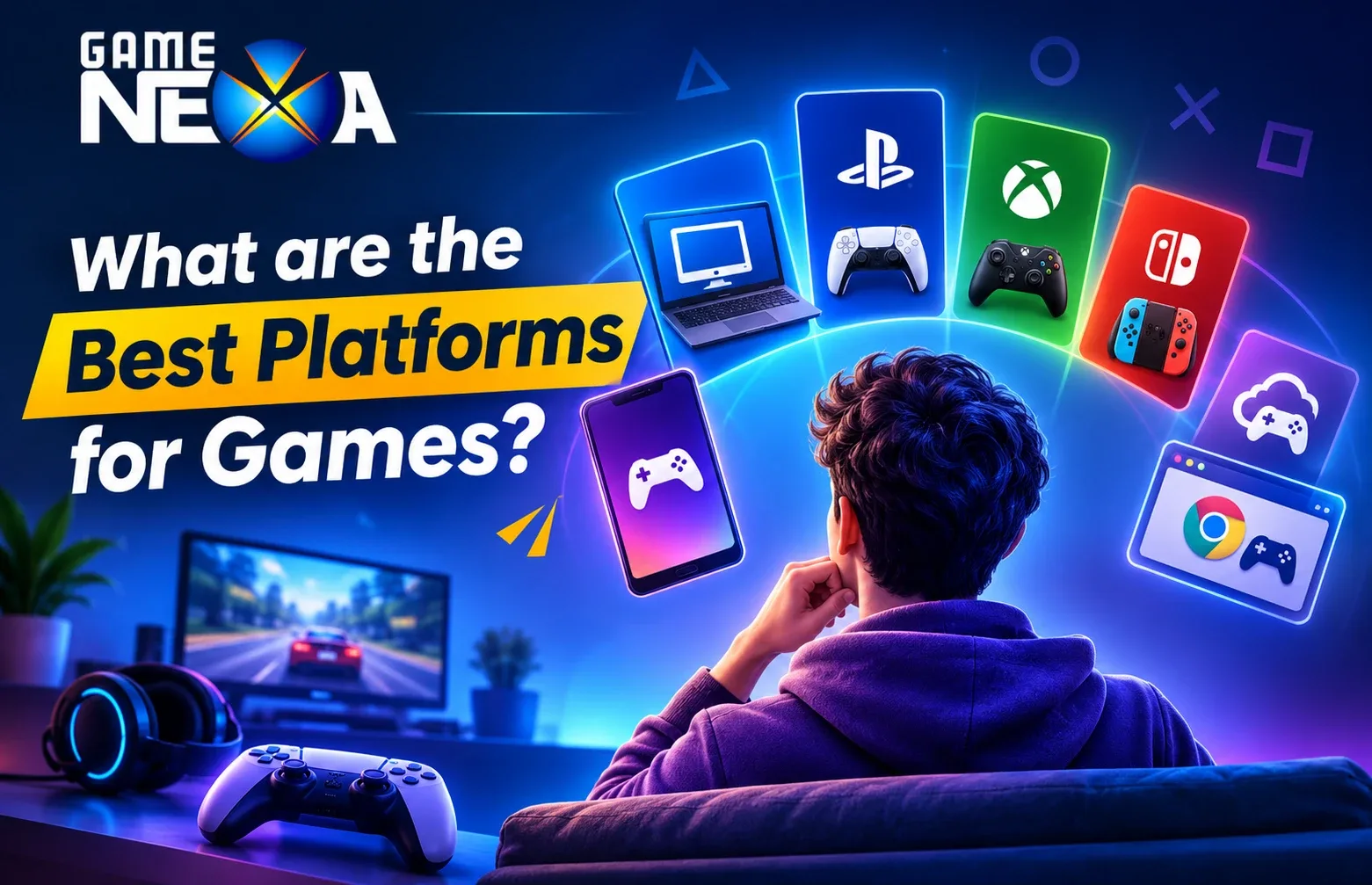
The gaming industry has evolved far beyond traditional video game consoles. Today, players can enjoy their favourite games on smartphones, desktop computers, gaming consoles, web browsers and even through cloud-based services. With so many options available, choosing the right gaming platform depends on the type of games you enjoy, your preferred gaming experience and the devices you already own.
But what are the best platforms for games? Are mobile gaming platforms better than PC gaming? Should you choose PlayStation, Xbox or Nintendo? And how do cloud gaming and browser-based platforms fit into the picture?
In this guide, we explore the best gaming platforms, their features, advantages, limitations and the types of players they suit. We also look at gaming platforms from a game development perspective to help businesses understand where they should launch their next gaming product.
What Is a Gaming Platform?
A gaming platform is a hardware or software environment that allows users to access, play, manage or distribute games. It can include physical gaming devices, operating systems, online gaming services, digital storefronts and cloud-based gaming solutions.
For example, a smartphone running Android or iOS is a mobile gaming environment, while PlayStation and Xbox are dedicated console ecosystems. Platforms such as Steam and Epic Games Store help users discover, purchase and download PC games, whereas cloud gaming services allow players to stream games without installing them locally.
Gaming platforms generally fall into several categories:
PC gaming platforms: Desktop computers and laptops that support downloadable or online games.
Mobile gaming platforms: Smartphones and tablets running Android or iOS.
Console gaming platforms: Dedicated gaming systems such as PlayStation, Xbox and Nintendo Switch.
Cloud gaming platforms: Services that stream games from remote servers to supported devices.
Browser gaming platforms: Websites that allow users to play games directly through a web browser.
Virtual reality platforms: Systems that deliver immersive gaming experiences through VR headsets.
Each platform has its own audience, technical requirements and gaming ecosystem. Understanding these differences makes it easier to identify the best option for different gaming needs.
12 Best Gaming Platforms to Explore in 2027
There is no single gaming platform that works best for everyone. Some are designed for high-performance gaming, while others focus on accessibility, multiplayer experiences, subscriptions or instant gameplay.
Here are 12 popular gaming platforms and ecosystems worth exploring in 2027.
1. PC Gaming: Best for Performance and Customisation
PC gaming remains a popular choice among players who want greater control over their gaming experience. Desktop computers and gaming laptops support a wide variety of titles, from casual indie games to demanding AAA releases.
Unlike dedicated consoles, gaming PCs allow users to customise hardware components such as graphics cards, processors, memory and storage. Players can also adjust graphical settings according to their system specifications.
Popular PC Gaming Platforms:
Steam: One of the largest PC game distribution platforms, offering a vast library, community features, achievements and multiplayer support.
Epic Games Store: Known for its game catalogue, developer partnerships and periodic free-game promotions.
GOG: Focuses on DRM-free game distribution and classic PC titles.
Microsoft Store: Provides access to PC games and Microsoft’s gaming ecosystem.
Advantages:
Extensive selection of games across multiple genres.
Customisable hardware and graphics settings.
Support for keyboard, mouse and controllers.
Access to mods, community content and competitive gaming.
Multiple digital game distribution options.
Limitations:
High-performance gaming PCs can be expensive.
Hardware upgrades and maintenance require additional investment.
Game performance varies across different system configurations.
Best For: Competitive gamers, strategy enthusiasts, simulation players, PC gaming communities and users who prefer customisation.
2. Android Gaming: Best for Accessible Mobile Gaming
Android is one of the leading operating systems for mobile gaming, giving players access to thousands of games across different genres and devices.
Through Google Play, Android users can discover and install everything from casual puzzle games to multiplayer battle games, racing titles, card games and strategy-based experiences.
One of Android gaming’s biggest strengths is its accessibility. Players can choose from smartphones and tablets across different price ranges, making it possible to enjoy mobile games without investing in a dedicated gaming console or computer.
Popular Android Gaming Options:
Google Play Games
Google Play Store
Roblox
Minecraft
Call of Duty: Mobile
Clash of Clans
Advantages:
Wide selection of mobile games.
Compatible with smartphones across different price segments.
Convenient touchscreen controls.
Supports casual and competitive multiplayer experiences.
Easy access to free-to-play games.
Limitations:
Performance depends on device specifications.
Different screen sizes and hardware configurations create optimisation challenges.
Battery consumption and device heating can affect longer gaming sessions.
Some games and features may not be available on every device.
Best For: Casual gamers, mobile multiplayer enthusiasts and players who prefer gaming on the go.
3. iOS Gaming: Best for Apple Device Users
Apple’s iOS ecosystem provides another major environment for mobile gaming. iPhone and iPad users can access games through the Apple App Store, which offers a broad selection of casual, multiplayer, arcade, puzzle and premium gaming experiences.
Apple’s hardware and software ecosystem provides developers with a more controlled range of device configurations compared with the wider Android market. This can make testing and optimisation more predictable, although developers still need to account for different supported devices.
Popular iOS Gaming Options:
Apple Arcade
Apple App Store
Roblox
Minecraft
Genshin Impact
PUBG Mobile (where available)
Advantages:
Access to a large selection of mobile games.
Strong integration with Apple’s hardware and software ecosystem.
Support for premium and subscription-based gaming.
Convenient multiplayer and social gaming features.
Consistent software and development frameworks.
Limitations:
Apple devices can involve a higher initial investment.
App distribution follows Apple’s review and platform requirements.
Developers must consider compatibility across supported iPhone and iPad models.
Some games may have platform-specific availability.
Best For: iPhone and iPad users, premium mobile game enthusiasts and players who prefer Apple’s ecosystem.
4. PlayStation 5: Best for Console Exclusives and Immersive Gaming
Sony’s PlayStation 5 is one of the most recognisable gaming consoles, designed for players who enjoy high-quality graphics, immersive gameplay and console-exclusive experiences.
Its high-speed SSD, DualSense wireless controller and advanced graphical capabilities support detailed environments and responsive gameplay.
The PlayStation ecosystem also includes PlayStation Network and PlayStation Plus, which provide online multiplayer, digital game access and subscription-based benefits depending on the selected plan.
Popular PlayStation Games:
Marvel’s Spider-Man 2
God of War Ragnarök
Astro Bot
Gran Turismo 7
Horizon Forbidden West
Advantages:
High-quality graphics and performance.
Immersive controller features.
Strong library of console-focused games.
Convenient plug-and-play gaming experience.
Online multiplayer and subscription services.
Limitations:
Requires dedicated console hardware.
Games and subscription plans involve additional costs.
Limited hardware customisation compared with PCs.
Some titles are exclusive to specific gaming ecosystems.
Best For: Action-adventure fans, racing enthusiasts, console gamers and players who enjoy cinematic gaming experiences.
5. Xbox Series X and Series S: Best for Subscription-Based Gaming
Microsoft’s Xbox ecosystem is another major name in console gaming. The Xbox Series X focuses on high-performance gaming, while the Series S provides a more compact and accessible entry point.
One of Xbox’s biggest attractions is Xbox Game Pass, a subscription service that provides access to a rotating catalogue of games, with availability and benefits depending on the plan and region.
Xbox also connects console gaming with PC gaming and supported cloud gaming services, creating a broader gaming ecosystem.
Popular Xbox Games:
Forza Horizon 5
Halo Infinite
Microsoft Flight Simulator
Starfield
Sea of Thieves
Advantages:
Access to a broad gaming catalogue through Game Pass.
Strong online multiplayer ecosystem.
Different console options for different budgets.
Integration with Microsoft’s gaming services.
Support for selected backward-compatible games.
Limitations:
Subscription costs can add up over time.
Game availability depends on region and subscription tier.
Some popular titles are not available across every gaming platform.
The Series S has hardware limitations compared with Series X.
Best For: Players who enjoy trying different games, multiplayer gaming and subscription-based access.
6. Nintendo Switch 2: Best for Portable and Family Gaming
Nintendo has built its gaming identity around accessible gameplay, creative experiences and recognisable gaming franchises.
The Nintendo Switch 2 continues the hybrid console concept, allowing players to enjoy games in handheld mode or connect the system to a television through its dock.
Its combination of portable and home gaming makes it different from traditional stationary consoles.
Popular Nintendo Gaming Franchises:
Super Mario
The Legend of Zelda
Pokémon
Mario Kart
Animal Crossing
Advantages:
Handheld and television gaming options.
Strong collection of Nintendo franchises.
Suitable for family and social gaming.
Portable gaming experience.
Distinctive first-party gaming ecosystem.
Limitations:
Hardware and game purchases require additional investment.
Performance and graphical capabilities differ from high-end gaming PCs.
Some games are exclusive to Nintendo systems.
Online features may require a Nintendo Switch Online subscription.
Best For: Families, casual gamers, Nintendo fans and people who enjoy portable gaming.
7. Steam: Best for Discovering and Managing PC Games
Steam is more than a digital game store. It is a PC gaming ecosystem that combines game distribution, player communities, achievements, user reviews, multiplayer features and additional gaming tools.
Players can purchase games, organise their libraries, interact with other gamers and access community-created content.
Steam Workshop is particularly useful for supported games because it allows users to discover and install modifications created by the community.
Key Features:
Extensive PC game catalogue.
Community discussions and user reviews.
Game achievements and friends lists.
Workshop and mod support for compatible titles.
Remote Play features for supported games.
Advantages:
Large selection of PC games.
Regular sales and promotional offers.
Strong community ecosystem.
Useful tools for managing game libraries.
Support for indie developers and major publishers.
Limitations:
Requires a compatible gaming device.
Not every game is available on Steam.
Some features depend on internet connectivity.
Players may need to manage multiple game launchers.
Best For: PC gamers, indie game enthusiasts and players who want a centralised digital gaming library.
8. Epic Games Store: Best for Free Games and Developer Opportunities
Epic Games Store is a digital distribution platform that allows users to discover, purchase and download PC games.
It has gained popularity through its promotional offers, exclusive releases and developer-focused distribution model.
The platform is also associated with Epic Games’ wider development ecosystem, including Unreal Engine, which is used to build games and interactive experiences.
Key Features:
Free-game promotions.
Digital PC game distribution.
Exclusive releases and publisher partnerships.
Developer publishing opportunities.
Integration with the wider Epic Games ecosystem.
Advantages:
Regular promotional offers.
Access to popular PC titles.
Opportunities for developers to distribute games.
Integration with Epic’s game development ecosystem.
Limitations:
Smaller community and modding ecosystem than Steam in some areas.
Not every PC game is available.
Players may need multiple launchers to access different titles.
Best For: PC gamers looking for promotional offers and developers exploring additional digital distribution channels.
9. NVIDIA GeForce NOW: Best for Cloud Gaming
NVIDIA GeForce NOW is a cloud gaming service that allows players to stream supported PC games from remote servers to compatible devices.
Instead of relying entirely on local hardware to process demanding games, the service handles much of the graphical processing remotely and streams the gameplay to the user’s device.
This makes cloud gaming an interesting alternative for players who want to access demanding games without purchasing an expensive gaming PC.
Key Features:
Cloud-based game streaming.
Support for selected games from connected digital libraries.
Different streaming performance tiers.
Compatibility with supported computers and other devices.
Advanced graphical features on supported plans and hardware.
Advantages:
Reduces the need for powerful local gaming hardware.
Supports gaming across multiple device types.
Access to supported games from connected accounts.
Convenient for players with compatible internet connections.
Limitations:
Requires a reliable and sufficiently fast internet connection.
Streaming quality depends on network conditions.
Game availability depends on supported titles and publisher participation.
Subscription tiers may have different session and performance limits.
Best For: Players who want to stream PC games without investing in expensive local hardware.
10. Xbox Cloud Gaming: Best for Gaming Across Supported Devices
Xbox Cloud Gaming extends Microsoft’s gaming ecosystem by allowing users to stream supported games over the internet on compatible devices and in supported regions.
Instead of installing every game locally, players can access supported titles through cloud streaming, subject to subscription eligibility and regional availability.
It can be particularly useful for people who want to continue gaming without being restricted to their main console.
Key Features:
Cloud-based game streaming.
Integration with Microsoft’s gaming ecosystem.
Access through supported browsers and devices.
Game library availability based on subscription and region.
Advantages:
Gaming without installing every supported title.
Convenient access across compatible devices.
Integration with Xbox services.
Useful for players who travel or switch devices.
Limitations:
Requires a stable internet connection.
Streaming quality depends on network conditions.
Availability varies by region and supported device.
Subscription eligibility and game catalogues can change.
Best For: Existing Xbox users and players interested in streaming games across supported devices.
11. Poki and CrazyGames: Best for Browser-Based Gaming
Browser gaming platforms have made online gaming accessible without requiring users to download large game files or purchase dedicated hardware.
Websites such as Poki and CrazyGames offer collections of games that can be played directly through compatible web browsers.
Their catalogues typically include puzzle games, racing games, arcade experiences, multiplayer titles and casual entertainment.
Popular Browser Gaming Platforms:
Poki
CrazyGames
itch.io (which also supports downloadable games and developer distribution)
Newgrounds
Advantages:
Easy access through web browsers.
No dedicated gaming console required.
Large variety of casual games.
Convenient for short gaming sessions.
Useful distribution opportunities for HTML5 game developers.
Limitations:
Performance depends on the browser and device.
Not every game offers advanced graphics or complex gameplay.
Some games require an internet connection.
Monetisation and distribution options vary by platform.
Best For: Casual players, students, browser gaming enthusiasts and developers creating HTML5 games.
12. Roblox: Best for User-Generated Gaming Experiences
Roblox is a gaming and creation ecosystem where users can discover experiences created by other developers and build their own interactive worlds using Roblox Studio.
Unlike conventional gaming platforms that mainly distribute games developed by studios, Roblox encourages a creator-driven environment.
Its platform includes social features, multiplayer experiences, virtual communities and tools for building interactive games.
Key Features:
User-generated games and experiences.
Roblox Studio development tools.
Multiplayer and social interactions.
Virtual items and creator monetisation features.
Cross-device access on supported platforms.
Advantages:
Large variety of user-created experiences.
Opportunities for aspiring game creators.
Social and multiplayer features.
Accessible creation tools.
Broad audience across supported devices.
Limitations:
Experience quality varies between creators.
Developers must work within Roblox’s ecosystem and policies.
Monetisation is subject to platform rules.
Online safety and moderation are important considerations.
Best For: Younger audiences, social gamers, aspiring game creators and players who enjoy user-generated experiences.
Gaming Platforms Comparison: Which One Should You Choose?
Choosing between the best gaming platforms becomes easier when you compare their primary strengths, accessibility and ideal audiences.
Gaming platform | Main strength | Best suited for |
PC Gaming | Performance and customisation | Competitive and dedicated gamers |
Android | Mobile accessibility | Casual and multiplayer players |
iOS | Apple ecosystem | iPhone and iPad users |
PlayStation 5 | Console exclusives | Immersive gaming fans |
Xbox Series X/S | Subscription gaming | Multiplayer and catalogue-based gaming |
Nintendo Switch 2 | Portable gaming | Families and casual players |
Steam | PC game distribution | PC gaming enthusiasts |
Epic Games Store | Game promotions and distribution | PC players and developers |
NVIDIA GeForce NOW | Cloud streaming | Players with less powerful hardware |
Xbox Cloud Gaming | Cross-device streaming | Xbox ecosystem users |
Poki and CrazyGames | Instant browser gaming | Casual and web gamers |
Roblox | User-generated experiences | Social gamers and creators |
Which gaming platform is best overall?
There is no universal winner. PC gaming is an excellent choice for customisation and performance, Android and iOS are convenient for mobile gaming, PlayStation and Xbox provide dedicated console experiences, and cloud gaming offers more flexible access to supported titles.
The right platform depends on your gaming preferences, available devices, budget and the type of experience you want.
What Are the Different Types of Gaming Platforms?
Gaming platforms can also be classified according to how players access and interact with games. Understanding these categories helps explain why some platforms are built around dedicated hardware while others focus on digital distribution or online connectivity.
1. Hardware-Based Gaming Platforms
These platforms use dedicated physical devices or general-purpose computers to run games.
Examples include:
Gaming PCs and laptops.
PlayStation consoles.
Xbox consoles.
Nintendo Switch systems.
VR headsets.
They are suitable for games that require specific hardware capabilities, advanced graphics or dedicated controls.
2. Mobile Gaming Platforms
Mobile gaming platforms operate through smartphones and tablets. Android and iOS provide the underlying operating environments, while Google Play and the Apple App Store serve as major distribution channels.
Mobile gaming supports several genres, including:
Puzzle games.
Card and board games.
Racing games.
Multiplayer games.
Strategy games.
Casual arcade games.
3. Online and Browser Gaming Platforms
Online gaming platforms allow players to access games through websites or connected services. Browser-based gaming is particularly convenient because players can start supported games without installing a dedicated application.
These platforms are commonly used for casual gaming, multiplayer experiences and HTML5 games.
4. Cloud Gaming Platforms
Cloud gaming uses remote servers to run games and stream their output to supported devices.
It reduces the need for powerful local hardware but makes internet connectivity and server availability important parts of the gaming experience.
5. Virtual Reality Gaming Platforms
VR gaming platforms use headsets and motion-tracking technology to create immersive environments.
Popular VR ecosystems include:
Meta Quest.
PlayStation VR2.
PC-based SteamVR experiences.
These systems are suitable for simulation, exploration, fitness, action and immersive multiplayer games.
What Is the Difference Between Gaming Platforms and Game Distribution Platforms?
These terms are often used interchangeably, but they do not mean exactly the same thing.
A gaming platform provides the environment or ecosystem in which games operate. A game distribution platform focuses on helping users discover, purchase, download or access games.
For example:
Android: A mobile operating system that supports gaming.
Google Play: A distribution channel for Android games and applications.
PlayStation 5: A dedicated gaming console and ecosystem.
Steam: A digital distribution and community platform for PC games.
NVIDIA GeForce NOW: A cloud gaming service.
Some services combine multiple functions, but understanding the distinction is important when choosing where to play or publish a game.
How to Choose the Best Gaming Platform for Your Needs?
The best gaming platform depends on your preferences and the experience you expect. Before choosing one, consider the following factors.
1. Identify Your Gaming Preferences
Start by understanding the types of games you enjoy.
If you prefer competitive multiplayer games, PC and console platforms may be suitable. If you enjoy casual puzzles, card games or short gaming sessions, mobile and browser platforms offer convenient alternatives.
2. Consider Your Budget
Different gaming platforms involve different costs.
PC gaming may require investment in hardware upgrades, while console gaming involves purchasing a dedicated system. Mobile gaming can be more accessible if you already own a compatible smartphone.
Also consider game purchases, subscriptions, in-app purchases and accessories.
3. Check Game Availability
Not every game is available across all platforms.
Some titles are exclusive to particular consoles, while others are designed specifically for mobile devices or PC environments.
Before choosing a platform, check whether your preferred games are supported.
4. Evaluate Performance and Compatibility
Your device should be capable of running games smoothly.
Consider processor requirements, graphics performance, memory, storage, screen resolution and operating system compatibility.
For cloud gaming, internet speed, latency and service availability are equally important.
5. Look at Multiplayer and Community Features
If you enjoy playing with friends, check whether the platform supports online multiplayer, voice communication, matchmaking, cross-play and community features.
These capabilities can make a significant difference to the overall gaming experience.
6. Consider Accessibility and Convenience
Think about when and where you want to play.
Mobile and browser gaming provide convenient access, whereas PCs and consoles are generally better suited to dedicated gaming sessions.
Cloud gaming can offer flexibility when you have a reliable internet connection and access to a supported service.
Which Gaming Platform Is Best for Game Development?
Choosing a gaming platform is not only important for players. It is one of the most significant decisions businesses and game developers make when planning a new gaming product.
The right development platform can influence your potential audience, development budget, technical requirements, monetisation strategy and long-term growth.
Here is how businesses can evaluate the major options.
Mobile Game Development: Android and iOS
Mobile gaming is a suitable choice for businesses that want to reach smartphone users with accessible and engaging experiences.
Android and iOS support a wide variety of game genres, including puzzle, board, card, arcade, casual and multiplayer games.
Mobile games can also incorporate features such as:
In-app purchases.
Advertisements.
Multiplayer matchmaking.
Leaderboards and achievements.
Daily challenges and rewards.
Social sharing and player engagement features.
For businesses targeting mobile-first audiences, developing for Android and iOS can provide access to two major mobile ecosystems.
PC Game Development
PC development is suitable for games that require advanced graphics, complex mechanics, custom controls or detailed environments.
It is commonly considered for:
Strategy games.
Simulation games.
Role-playing games.
Competitive multiplayer games.
High-performance 3D experiences.
Developers must account for different hardware configurations, operating systems and screen resolutions.
Console Game Development
Console development is a good option for businesses targeting players who prefer dedicated gaming hardware and premium gaming experiences.
However, developers must consider platform-specific development requirements, technical certification, performance optimisation and publishing processes.
PlayStation, Xbox and Nintendo each have their own ecosystems and requirements.
Browser and HTML5 Game Development
Browser-based development works well for businesses that want to offer instant gaming experiences without requiring players to install a separate application.
HTML5 games can be accessed through compatible web browsers and are particularly useful for casual, puzzle, arcade and lightweight multiplayer experiences.
Cross-Platform Game Development
Cross-platform development allows businesses to make their games available across multiple devices and operating systems.
For example, a game may be developed for Android and iOS first, with additional versions planned for PC or web browsers.
However, cross-platform development does not simply mean publishing the same build everywhere. Each version needs appropriate controls, interface adjustments, performance optimisation, compatibility testing and platform-specific integrations.
A well-planned development strategy helps businesses expand their reach while maintaining a consistent player experience.
Key Factors to Consider Before Launching a Game on Any Platform
Selecting a platform is only the beginning. Businesses should evaluate several technical and commercial considerations before investing in game development.
Target Audience: Understand where your intended players spend their time and which devices they prefer.
Development Budget: Evaluate the cost of development, testing, publishing, infrastructure and ongoing maintenance.
Monetisation Strategy: Decide whether your game will use advertisements, subscriptions, premium purchases, in-app purchases or another suitable revenue model.
Game Performance: Ensure the game can deliver smooth gameplay across the supported devices and network conditions.
Security and Fair Play: Consider account protection, data security, anti-cheat systems and fair multiplayer environments.
Scalability: Plan the architecture to support increasing players, multiplayer sessions, content updates and future expansion.
Post-Launch Support: Account for updates, bug fixes, player feedback, new features and ongoing technical maintenance.
A platform that works for a small casual game may not be suitable for a large multiplayer gaming application. The development strategy should reflect the product’s actual requirements and long-term objectives.
The Future of Gaming Platforms
Gaming platforms continue to evolve as technology, player expectations and development practices change. Several developments are shaping how people access and experience games.
1. Growth of Cross-Platform Gaming
Players increasingly expect to access games across different supported devices. Cross-platform development and cross-play capabilities can help games reach broader audiences and build connected communities.
2. Cloud Gaming Expansion
Cloud gaming continues to explore new ways of delivering high-quality gaming experiences without requiring expensive local hardware. Better connectivity and improved streaming infrastructure will remain important to its development.
3. AI-Assisted Game Development
AI-assisted tools are becoming part of development workflows, helping teams explore content creation, testing, animation, production support and player experience improvements.
4. More Immersive VR and AR Experiences
Virtual and augmented reality technologies are creating new opportunities for interactive experiences, simulations, fitness games and immersive entertainment.
5. Continued Mobile Gaming Innovation
Mobile devices continue to support increasingly sophisticated gameplay, real-time multiplayer experiences and more advanced graphics. Developers are also exploring new ways to improve player retention and engagement through live events, social features and regular content updates.
6. Community-Driven Gaming
Platforms that encourage user-generated content, social interaction and creator participation are changing how players engage with games. Communities can become an important part of a game’s long-term growth.
Frequently Asked Question
1. What are the best gaming platforms?
Some of the popular gaming platforms include PC, Android, iOS, PlayStation 5, Xbox Series X/S, Nintendo Switch 2, Steam, Epic Games Store, NVIDIA GeForce NOW, Xbox Cloud Gaming, Poki, CrazyGames and Roblox. The best option depends on your gaming preferences, budget and device compatibility.
2. Which gaming platform is best for beginners?
Mobile gaming platforms such as Android and iOS are convenient starting points because players can access a wide selection of casual and multiplayer games through smartphones. Browser gaming platforms such as Poki and CrazyGames are also suitable for beginners who want to play without installing additional software.
3. Is PC gaming better than console gaming?
PC gaming offers greater hardware customisation, flexible controls and access to a broad selection of games. Consoles provide a more straightforward gaming experience with dedicated hardware and platform-specific titles. Neither is universally better; the choice depends on your preferences and budget.
4. Which platform is best for mobile gaming?
Android and iOS are the two major mobile gaming environments. Android provides broad device choice, while iOS offers gaming experiences within Apple's hardware and software ecosystem. The best option depends on the devices and audience you want to target.
5. What are the best free gaming platforms?
Steam and Epic Games Store offer free-to-play titles, while Poki and CrazyGames provide browser-based games that can be played without purchasing individual titles. Roblox also provides access to many free user-created experiences, although optional purchases may be available.
6. What is the difference between cloud gaming and traditional gaming?
Traditional gaming runs games locally on a device such as a PC or console. Cloud gaming processes games on remote servers and streams the gameplay to supported devices. Cloud gaming reduces local hardware requirements but depends on internet connectivity and service availability.
7. Which gaming platform is best for multiplayer games?
PC, mobile and console platforms all support multiplayer gaming. The best option depends on the game's genre, matchmaking requirements, player community and cross-play support. Mobile platforms are convenient for casual multiplayer experiences, while PCs and consoles support many competitive gaming experiences.Accordion title (e.g. a question)
8. Which platform should I choose to develop a mobile game?
Android and iOS are the primary choices for mobile game development. Businesses should evaluate their target audience, game genre, budget, device compatibility, monetisation model and technical requirements before selecting a development strategy.
9. Can one game be developed for multiple platforms?
Yes. Cross-platform game development allows developers to adapt a game for multiple operating systems and devices. However, each version may require adjustments to controls, user interfaces, performance, integrations and platform-specific requirements.
10. How much does it cost to develop a game for different platforms?
Game development costs vary depending on the game's complexity, graphics, features, multiplayer functionality, backend infrastructure, development time and supported platforms. A simple mobile puzzle game generally requires a different budget from a large multiplayer 3D game. A detailed project scope is necessary for an accurate estimate.
Final Thoughts
The best gaming platforms offer different experiences, from high-performance PC gaming and immersive consoles to accessible mobile games, browser-based entertainment and cloud streaming.
For players, the right choice depends on their preferred genres, available devices, budget and expectations. For businesses, selecting the right platform requires a deeper understanding of the target audience, technical requirements, monetisation strategy and future scalability.
Whether you are planning a mobile game, multiplayer experience, browser-based game or a cross-platform gaming product, the right development strategy can make a significant difference to its success.
At GameNexa, we help businesses transform gaming ideas into engaging digital products. From custom mobile game development and multiplayer solutions to Unity game development and scalable iGaming platforms, our team works across different stages of the game development process.
Whether you want to create a casual mobile game, build a multiplayer gaming application or develop a complete gaming ecosystem, we can help you plan and develop a solution aligned with your business objectives.